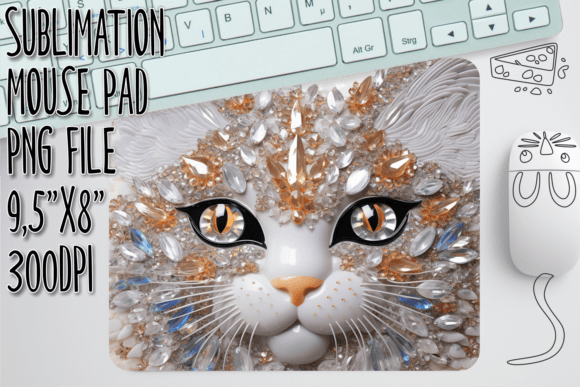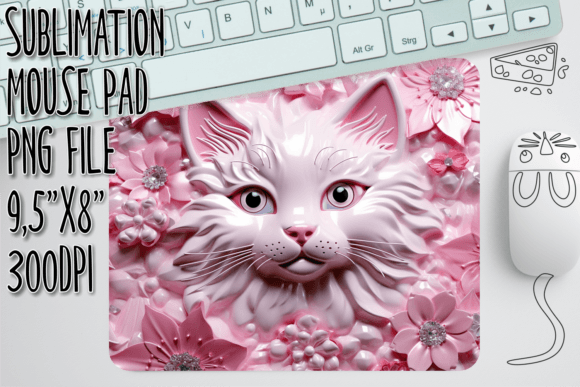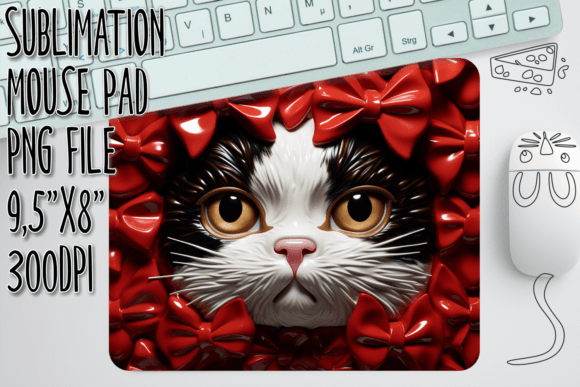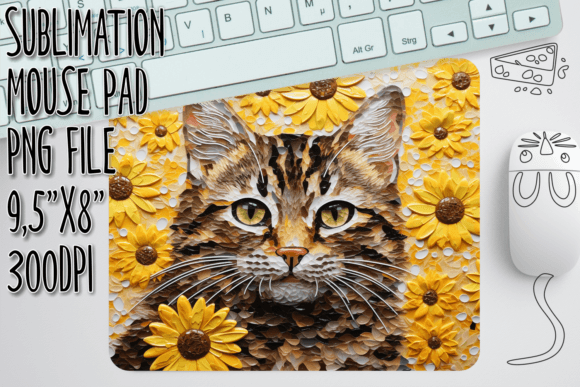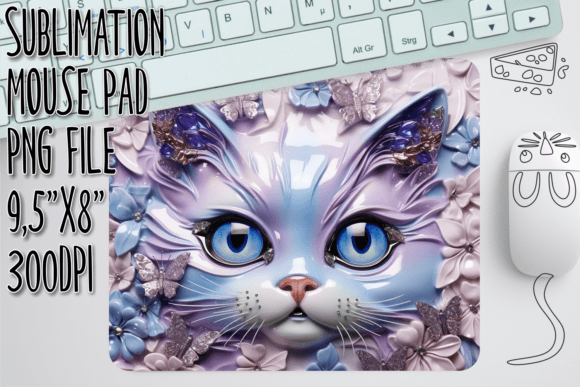
Cat in Flowers 3D Mouse Pad Sublimation Design: A Practical Guide for Creators
The intersection of whimsical aesthetics and functional desk accessories has created a booming niche for custom peripherals. Among the most charming trends is the Cat in Flowers 3D Mouse Pad, a design that combines soft, pastel botanical elements with the playful curiosity of felines. For creators, small business owners, and hobbyists, this specific digital asset offers a lucrative opportunity to produce high-quality, visually striking products. However, the path from downloading a file to selling a finished product is fraught with technical nuances that many beginners overlook.
Understanding exactly what you are purchasing is the first step toward professional results. This guide clarifies the nature of this digital product, highlights common pitfalls in sublimation workflows, and provides actionable advice to ensure your final mouse pads meet market expectations.
Clarifying the Product Type: Digital vs. Physical
The most frequent source of confusion—and subsequent dissatisfaction—stems from a misunderstanding of the product format. When you acquire the Cat in Flowers 3D Mouse Pad design, you are purchasing a digital download only. There is no tangible mouse pad shipped to your door. This distinction is critical for setting accurate customer expectations if you plan to resell the finished item, or for managing your own workflow if you are creating items for personal use.
Furthermore, this file is specifically engineered for sublimation printing. It is not an SVG (Scalable Vector Graphics) file, nor is it compatible with cutting machines like Cricut or Silhouette as a cut file. Attempting to use this PNG for vinyl cutting or laser engraving will result in failure, as the image lacks the vector paths required for such machinery. Recognizing this limitation early saves time and prevents frustration during the design phase.
Common Mistakes in Sublimation Preparation
Even experienced crafters can stumble when working with pre-made digital designs. Here are the most prevalent errors and how they impact your final output.
Ignoring Resolution and DPI Requirements
One of the most detrimental mistakes is resizing images without respecting their original resolution. The provided file is a high-quality PNG at 300 DPI (dots per inch), measuring 9.5 x 8 inches. This resolution is the industry standard for sharp, professional-grade printing.
If you attempt to upscale this image significantly beyond its intended dimensions, pixelation will occur. The "3D" effect of the cat and flowers relies on subtle gradients and shadows; when these are stretched, the image becomes blurry and loses its depth. Conversely, shrinking the image too much without adjusting the canvas can lead to awkward white borders or misalignment on the mouse pad blank.
Better Approach: Always check the dimensions of your specific mouse pad blank before importing the design. If your blank is smaller than 9.5 x 8 inches, scale the image down proportionally in your editing software. Never scale up. Use the "Image Size" function in programs like Photoshop or GIMP to ensure the resolution remains at 300 DPI throughout the process.
Misunderstanding Color Profiles and Mirroring
Sublimation printing operates differently than standard inkjet printing. The ink turns into gas under heat and bonds with the polyester fibers of the mouse pad. A common oversight is failing to mirror (flip horizontally) the design before printing. If you skip this step, your cat will face the wrong direction, and any text elements (if added later) will be unreadable.
Additionally, colors on screen often look more vibrant than they appear after sublimation. The bright whites on your monitor may print as slightly off-white or gray if the printer profile is not calibrated. The intricate details of the flower petals in this design can suffer if the color saturation is too low, making the image look washed out.
Better Approach: Always mirror your design in your design software before sending it to the printer. Perform a test print on regular paper to check color vibrancy and alignment. Adjust brightness and contrast slightly higher than usual to compensate for the dulling effect of the sublimation process.
Overlooking Material Compatibility
Sublimation only works on materials with a high polyester content or a specialized polymer coating. A frequent error is attempting to sublimate onto cotton-based or rubber-only mouse pads. The ink will not bond, resulting in a faint, easily wiped-off image.
Better Approach: Ensure you are using blanks specifically labeled for sublimation. High-quality neoprene mouse pads with a polyester fabric top layer yield the best results for the Cat in Flowers 3D Mouse Pad design. Check the supplier’s specifications for recommended heat press settings, as thickness varies between brands.
Optimizing Your Workflow for Professional Results
To maximize the potential of this digital asset, consider these practical steps in your production workflow.
- Verify File Integrity: Upon download, open the PNG immediately to ensure it is not corrupted. Check that the transparency (if applicable) or background aligns with your vision. Most sublimation mouse pad designs include a white background, which is ideal for preventing the black neoprene base from showing through.
- Use Quality Heat Press Settings: Consistency is key. Typical settings for mouse pads range from 360°F to 400°F for 45–60 seconds, but always refer to your blank’s manufacturer guidelines. Use even pressure to avoid "ghosting" or uneven color transfer, particularly around the detailed floral areas.
- Protect Your Design: Use butcher paper or Teflon sheets on both sides of the mouse pad during pressing. This prevents ink from transferring to your heat press platen and protects the surface of the mouse pad from scorching.
- Consider Customization: While the Cat in Flowers 3D Mouse Pad design is complete, you can add value by incorporating personalized elements. For example, adding a customer’s name in a complementary font can transform a standard item into a bespoke gift. Ensure any added text is also mirrored and placed within the safe zone to avoid being trimmed or folded over the edges.
Evaluating Value and Usability
When deciding whether this digital file fits your project needs, evaluate the versatility it offers. The 9.5 x 8-inch dimension is standard for rectangular mouse pads, making it compatible with a wide range of blanks available from major craft suppliers. The high-resolution 300 DPI quality ensures that the fine details of the cat’s fur and the flower petals remain crisp, enhancing the perceived value of the final product.
For entrepreneurs, this design allows for rapid product creation without the need for advanced illustration skills. However, success depends on execution. A poorly pressed mouse pad will undermine even the most beautiful design. By focusing on proper material selection, accurate color management, and precise heat application, you can produce items that stand out in a crowded marketplace.
Remember, the goal is not just to print an image, but to create a tactile, durable, and visually appealing product. The Cat in Flowers 3D Mouse Pad design provides the artistic foundation; your attention to technical detail provides the quality. Avoid the temptation to rush the preparation phase. Taking the time to mirror, test, and calibrate your process will result in fewer wasted blanks and higher customer satisfaction.
Whether you are a beginner looking to start a side hustle or a seasoned creator expanding your catalog, treating this digital file with the respect it deserves yields superior outcomes. Focus on the specifics of sublimation science, respect the limitations of the file format, and let the charming aesthetic of the design do the rest.