3D Cat Sublimation Mouse Pad Design Guide
There is a distinct joy in transforming a blank, white polyester surface into a vibrant, functional piece of art. For crafters and small business owners, the 3D Cat Sublimation Mouse Pad represents more than just a desktop accessory; it is a canvas for creativity that bridges the gap between digital design and tangible utility. However, achieving that crisp, professional finish requires more than just a heat press and some ink. It starts with the right digital assets.
If you are looking to expand your product line or create personalized gifts, understanding the nuances of high-resolution sublimation files is crucial. This guide explores how to leverage specific digital designs, like the 3D Cat motif, to create products that stand out in a crowded market. We will dive into the technical specifications, design versatility, and practical applications that make this type of asset invaluable for modern creators.
Understanding the Visual Appeal and Technical Specs
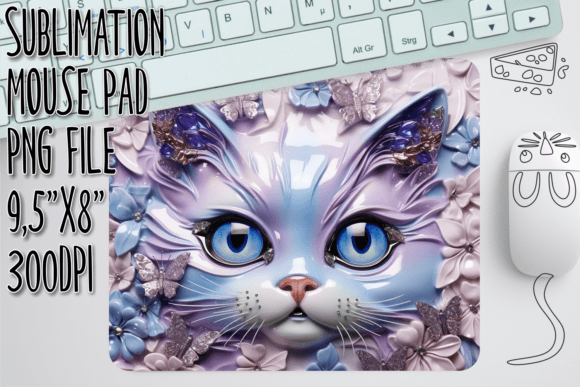
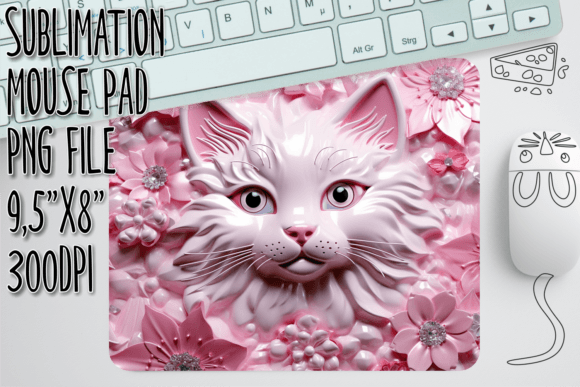
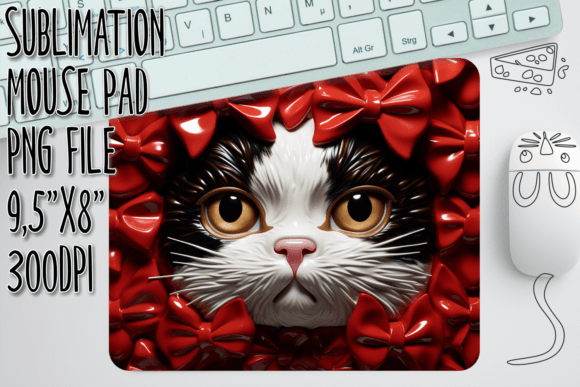
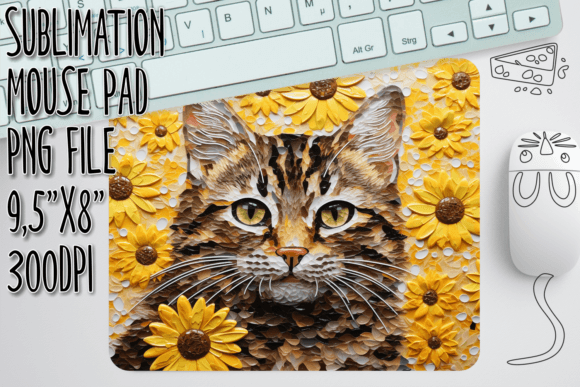
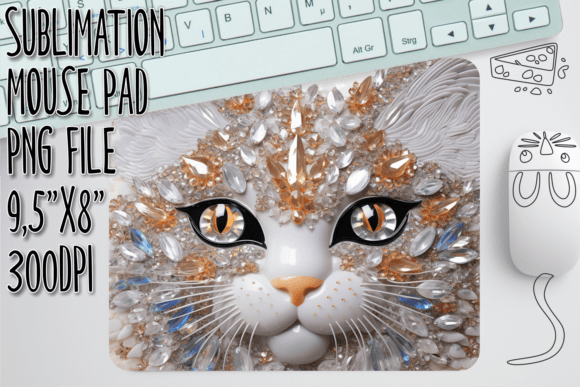
The charm of a 3D Cat design lies in its depth and personality. Unlike flat, two-dimensional illustrations, a well-crafted 3D render offers shading, perspective, and texture that pop off the screen—and subsequently, off the mouse pad. This visual characteristic appeals to a broad audience, from gamers who appreciate high-fidelity graphics to cat lovers who enjoy whimsical, lifelike portrayals of their pets. The style is typically modern and playful, yet polished enough to fit into a contemporary home office setup.
When sourcing these designs, it is vital to distinguish between file types. A common misconception among beginners is that all digital downloads are interchangeable. This is not the case. The 3D Cat Sublimation Mouse Pad design discussed here is provided as a high-resolution PNG file, not an SVG. This distinction is critical. An SVG (Scalable Vector Graphics) file is primarily used for cutting machines like Cricut or Silhouette, where the machine reads vector paths to cut vinyl or paper. In contrast, sublimation is a printing process. It requires raster images with rich color data and pixel density.
The file you receive measures 9.5 x 8 inches at 300 DPI (dots per inch). Why does this matter? Resolution is the backbone of print quality. A 72 DPI image might look fine on a website, but when printed on fabric, it will appear pixelated and blurry. At 300 DPI, every whisker, eye reflection, and shadow gradient remains sharp and defined. This level of clarity ensures that the final product looks premium, reinforcing the perceived value of your brand. Furthermore, while the file is pre-sized for standard mouse pads, the high resolution allows you to scale it down for smaller items like coasters or keychains without losing integrity.
Versatility Across Creative and Commercial Projects
While the primary application is obvious, the versatility of a high-quality PNG extends far beyond a single mouse pad. For entrepreneurs and content creators, this digital asset serves as a foundational element in a broader brand identity strategy. Consider the various touchpoints where this imagery can be utilized:
- E-commerce Listings: Use the design in mockups for Etsy, Amazon, or Shopify stores. High-quality visuals drive clicks and conversions.
- Social Media Graphics: Create engaging posts for Instagram or Pinterest. The 3D aesthetic performs well in scroll-stopping content, especially when paired with bold, modern typography.
- Packaging Design: Incorporate elements of the cat design into thank-you cards, sticker labels, or tissue paper prints to create a cohesive unboxing experience.
- Digital Products: If you are a designer, you can use this as a base for creating composite images for web design or digital planners, provided you adhere to licensing terms.
This adaptability makes the file a cost-effective addition to your library of design assets. Instead of purchasing separate files for different projects, one robust, high-resolution image can serve multiple functions. For marketers, this consistency is key. Using the same visual elements across physical products and digital marketing materials strengthens brand recognition. It tells your audience that you pay attention to detail, from the pixel on the screen to the stitch on the edge of the mouse pad.
Design Strategy: Pairing and Presentation
Creating a successful product involves more than just printing an image; it involves curating an experience. When working with a detailed 3D illustration, your choice of complementary elements—such as text or background colors—plays a significant role in the final outcome. Since the 3D Cat design is visually complex, it pairs best with clean, minimalist typography. Avoid ornate script fonts or heavy serif fonts that might compete with the intricate details of the cat’s fur and features.
Instead, opt for a sleek sans serif font or a lightweight modern typography style. These typefaces provide a visual anchor without overwhelming the main subject. For instance, if you are adding a custom name or a witty quote to the mouse pad, place it in a negative space area where the background is simpler. This ensures readability and maintains a balanced visual hierarchy. The goal is to guide the viewer’s eye naturally from the focal point (the cat) to the secondary information (the text).
Color theory also comes into play. Sublimation printing works best on white or light-colored polyester blanks because the ink dyes the fibers directly. Dark backgrounds in your digital file will print as dark ink, which can sometimes feel heavy on a mouse pad. If the 3D Cat design has a transparent background, consider adding a subtle pastel or neutral backdrop in your editing software before printing. This can enhance the 3D effect and make the colors appear more vibrant. Always test print a small batch to see how the colors translate from your monitor to the fabric, as screen calibration varies widely.
Practical Steps for Best Results
To ensure you get the most out of your 3D Cat Sublimation Mouse Pad digital download, follow these practical steps during your workflow:
- Verify Your Software: Ensure you have image editing software capable of handling high-resolution PNGs, such as Adobe Photoshop, Affinity Photo, or even free alternatives like GIMP or Canva (Pro version for background removal features).
- Check Dimensions: Before sending to print, double-check that the image size matches your blank mouse pad dimensions. Most standard rectangular mouse pads are around 9.5 x 8 inches, but always measure your specific blank to avoid unwanted white borders or cropping.
- Mirror Your Image: This is a classic sublimation rule. Always mirror (flip horizontally) your design before printing. The ink transfers in reverse, so mirroring ensures the final image reads correctly.
- Use High-Quality Paper: Print your design on specialized sublimation paper using sublimation ink. Regular printer paper and ink will not bond with the polyester coating.
- Press with Precision: Follow the recommended time, temperature, and pressure settings for your specific mouse pad blank. Typically, this ranges from 380°F to 400°F for 45–60 seconds. Use a Teflon sheet to protect your heat press and ensure even heat distribution.
Remember, this purchase is for a downloadable design only. There is no tangible product shipped to you. This model allows you the freedom to produce items on demand, reducing inventory waste and allowing for greater customization. You become the manufacturer, controlling the quality and timing of each piece.
Incorporating high-quality, purpose-built digital designs like this into your creative toolkit empowers you to produce professional-grade merchandise. Whether you are building a side hustle, expanding an existing craft business, or simply making unique gifts, the combination of a striking 3D visual and proper sublimation technique yields results that resonate with customers. By focusing on resolution, compatibility, and thoughtful design pairing, you elevate a simple mouse pad into a standout piece of functional art.